
News
Get Found on Google Maps
Local SEO, Google Maps, Small Business Marketing
Get Found on Google Maps: A Simple Guide for Local Businesses
Local customers search on their phones first. If your business does not appear on Google Maps, you are invisible at the exact moment people are ready to buy. This guide keeps things simple and focused so you can get found, fast.
Why Google Maps Matters for Local Businesses
When someone searches “coffee near me” or “plumber in Barrie” Google Maps usually appears first. Those top map results often get the clicks, calls, and visits. People trust what they see on the map because it feels local, current, and convenient.
For a local business, being visible on Google Maps is not a bonus. It is basic infrastructure, like your sign on the street. The difference is that this sign shows up in your customers’ hands, wherever they are, at the moment they decide to act.
Step 1: Claim and Verify Your Business Profile
To get found on Google Maps, start with Google Business Profile. This free tool connects your business to the map and to local search results. If you have been in business for a while, there may already be a listing. If not, you can create one from scratch.
Go to google.com/business and sign in with a Google account.
Search for your business name. If it appears, request access. If not, click to add your business.
Enter your address, phone number, website, and category. Keep everything accurate and consistent with what is on your signage and website.
Complete the verification step. This may be by postcard, phone, email, or video, depending on your business type and location.
Verification is essential. Until you verify, your business will not fully appear on Google Maps, and you will have limited control over how it looks.
Step 2: Get the Basics Perfect
Minimalism is about clarity. Your Google Maps presence should follow the same idea. Focus on clean, accurate, and complete information before you think about anything advanced.
Name: Use your real-world business name, exactly as customers see it on your storefront and website.
Address: Make sure the address matches your website and any other online listings. Avoid abbreviations that differ from place to place.
Phone: Use a local phone number when possible. It reinforces that you are part of the community.
Hours: Keep opening hours accurate. Update them for holidays or seasonal changes. Customers rely on this more than you think.
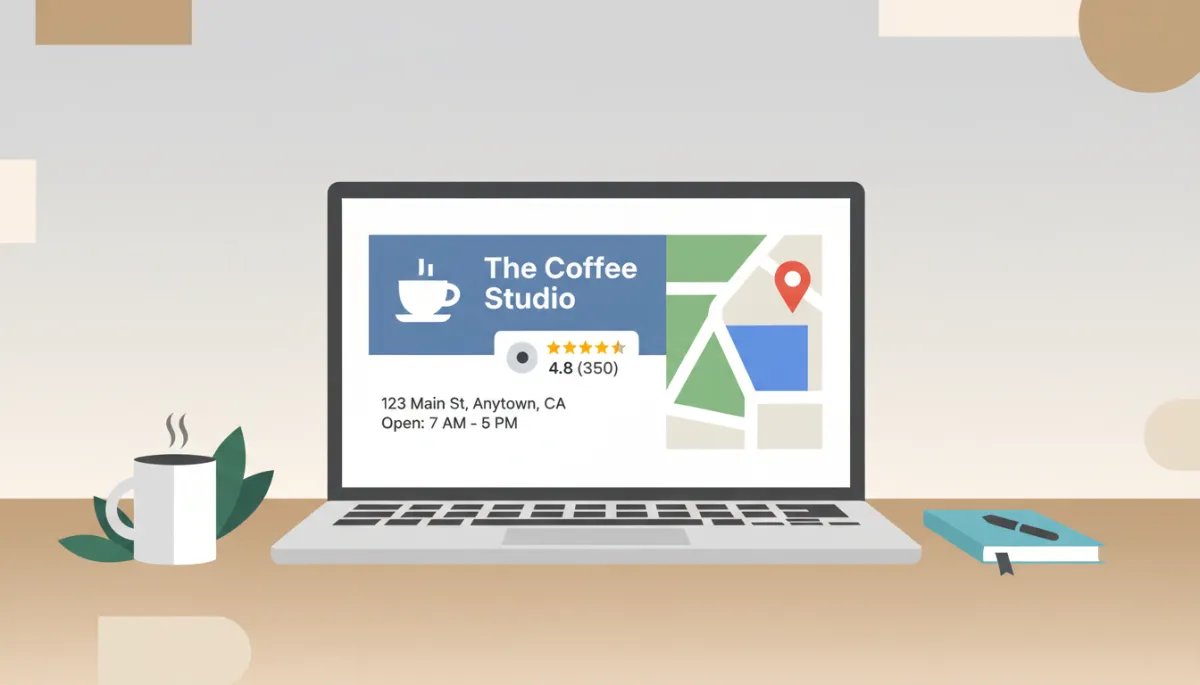
Clear, consistent details help Google trust your listing and rank it higher.
Step 3: Use Photos and Categories Wisely
Photos are often the first impression. Keep them simple and honest. Show your exterior so people can recognize the building, your interior so they know what to expect, and a few key products or services. Avoid cluttered images and busy collages.
Next, choose one main category that clearly describes what you do, such as “Bakery,” “Dentist,” or “Hair salon.” Then add a few relevant additional categories if they truly fit. Do not try to be everything. A focused profile helps Google understand when to show you in local search.
Step 4: Encourage and Respond to Reviews
Reviews are a powerful signal for both customers and Google. More good reviews usually mean more visibility and more trust. You do not need hundreds overnight. You need a steady flow from real customers over time.
Ask at natural moments, such as after a successful appointment or a positive comment in person.
Make it easy. Share a short link to your review page in emails, receipts, or follow-up messages.
Reply to reviews, good and bad, in a calm and brief tone. Thank people for positive feedback. For negative reviews, acknowledge the issue and show willingness to fix it.
📌 Key Takeaway: A small number of thoughtful, recent reviews can matter more than a large number of old ones.
Step 5: Keep Your Listing Active and Aligned
Google prefers businesses that look alive. You do not need to post every day, but small, regular updates help. Share a new product, a simple photo, or a short update about seasonal offers or events. Keep the tone straightforward and useful.
Also, check that your details match across the web. Your name, address, and phone number should be the same on your website, social profiles, and any local directories. This consistency supports your local search rankings and reduces confusion for customers.
Start Simple, Then Refine
Getting found on Google Maps is not about tricks. It is about clarity, accuracy, and steady care. For local businesses, a clean and well-maintained listing can be the difference between a passerby and a paying customer who walks through your door.
Start with the essentials: claim your profile, verify it, fix your basic details, and add a few strong photos. Then, build simple habits around reviews and updates. Over time, your presence on Google Maps will become a quiet, consistent engine bringing local customers to you, without noise or complexity.

Got Questions? We've Got Answers!
Contact Heavy Ads Today and Let's Talk Solutions
Questions?
Contact Heavy Ads Today and Let's Talk Solutions
Barrie's Online Marketing Experts


© 2026 — Built to generate leads, not look pretty.